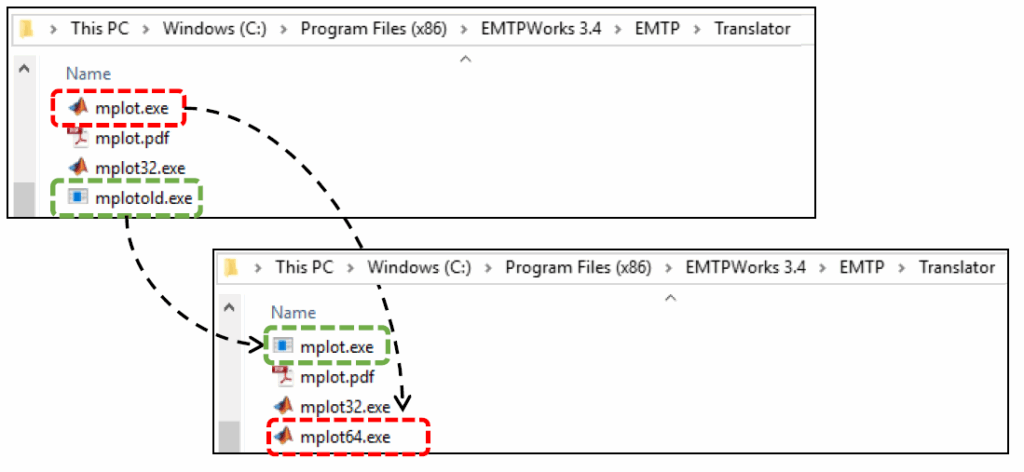
– Go to the EMTPWorks installation folder C:Program FilesEMTPWorks 3.xEMTPTranslator, 3.X being the EMTP version number.
– Identify file mplot.exe and rename it as mplot64.exe.
– Identify file mplotold.exe and rename it as mplot.exe.
– Try to open MPLOT.