
- From the Script tab
- Create a new JavaScript document (ctrl + N)
- Click on run
This method is good for small scripts.
The EMTP code editor must be used.
II. From the Design tab
- Click on Run a script
This method calls script file (.dwj).
Any JavaScript code editor can be used.
III. From a button
A. Create the button:
- In the options tab, click on New Part
- Draw the button
- Close the drawing tab and save the new part in a library. A new library can be created for this.
- In the EMTP design, drag and drop the newly built component
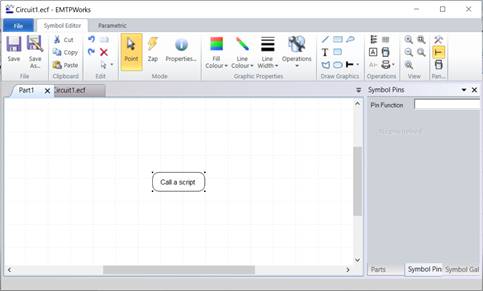
B. Create the button:
- Right click on the device and go to Attributes
- Check All
- Under the attribute Script.Open.Dev, enter the relative or full path to the script to call.
- Set the Exclude attribute to 2.
- Double click on the button to start the script
This method calls script file (.dwj).
Any JavaScript code editor can be used.
Example folder: Click here


